Showing posts with label CPU. Show all posts

Tuesday, June 4, 2013

Intel Launches Haswell Processors

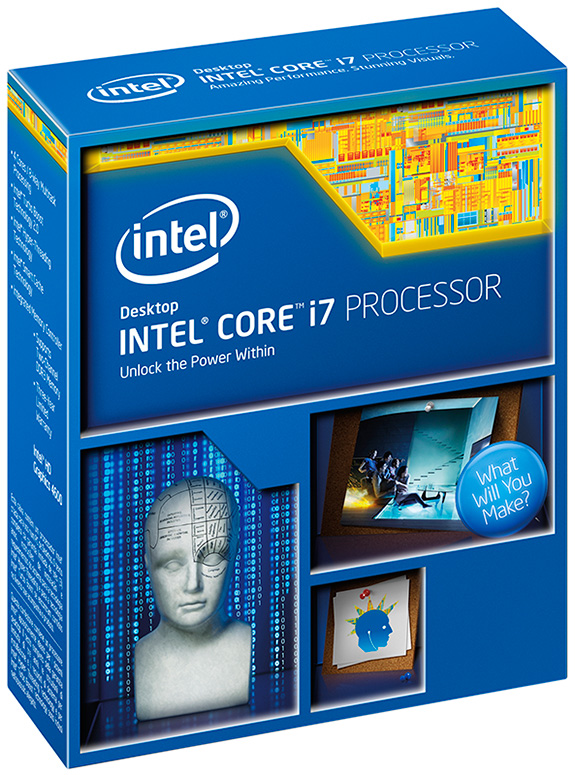
The start to this month brought us Intel's newest CPUs: The Haswell Bridge. It is the Tock in the Intel Tick-Tock release schedule and as such comes with a major architectural refresh (which means a new socket type : LGA 1150 and a new set of motherboards.)


Featuring a new box art, amongst other things, the biggest change this time around is not core counts or frequencies, rather a "better" experience. Intel claims the biggest battery life increase in Intel's history and unprecedented graphics in ultra-thin computing. It is clear from this that Intel is aiming at the mobile world more and more as PC and Laptop sales continue to fall in face of the lower cost, lower power ARM microprocessor powered cell-phones and tablets. In that light Haswell will be trying to make mobile PCs (Ultrabooks for example) perform more like smartphones and tablets with increased battery lifes and instant wakes.

What does all of this mean for the Desktop side of things? Well while the architectural improvements will increase overall efficiency, custom-builders have, at the moment, little need to upgrade to the newer CPU. The speeds are not all that faster and there are no more cores than the previous generation. So if you are looking to build a whole new system, it would make sense to try Haswell out, however if you already are on Sandy or Ivy Bridge, you can safely stay away from upgrading just yet.

The biggest thing to note will be that if you are going to buy Haswell Bridge, take some time and search PSU which are compatible with the new CPU as power operating states have changed dramatically and you will need a high quality power supply to ensure steady power to the PC. Check with a manufacturer for Haswell low-power compatibility.

The Model List and Launch Prices are as follows

Model
Cores/Threads
CPU Clock (GHz)
Turbo Boost (GHz)
Cache
IGP
TDP
Launch Price (USD)
Core i7-4770K
4/8
3.5
3.9
8MB
HD4600
84W
339
Core i7-4770
4/8
3.4
3.9
8MB
HD4600
84W
303
Core i7-4770S
4/8
3.1
3.9
8MB
HD4600
65W
303
Core i7-4770T
4/8
2.5
3.7
8MB
HD4600
45W
303
Core i7-4765T
4/8
2.0
3.0
8MB
HD4600
35W
303
Core i5-4670K
4/4
3.4
3.8
6MB
HD4600
84W
242
Corei5-4670
4/4
3.4
3.8
6MB
HD4600
84W
213
Core i5-4670S
4/4
3.1
3.8
6MB
HD4600
65W
213
Core i5-4670T
4/4
2.3
3.3
6MB
HD4600
45W
213
Core i5-4570
4/4
3.2
3.6
6MB
HD4600
84W
192
Core i5-4570S
4/4
2.9
3.6
6MB
HD4600
65W
192
Core i5-4570T
2/4
2.9
3.6
4MB
HD4600
35W
192

Suffixes:
K: Unlocked Multiplier
S: Performance Optimized, i.e Lower CPU frequency, reduced TDP
T: Power Optimized, i.e Lower CPU frequency, lower Turbo Boost frequency, greatly reduced TDP 

Also the Integrated Graphics is now called Iris. 

Initial tests show a modest gain in performance across various benchmarks for Haswell and the newer generation sits above the previous one, although, as stated before, by a very narrow margin. 

Thursday, May 24, 2012

Intel CPUs - Ivy Bridge

Hi folks,

Today is my day off so I wanted to use this opportunity to talk about Intel's latest offering in the CPU world, namely, the Intel Ivy Bridge Processors. It represents the "tick" in Intel's tick-tock model. If you are new to the computer components world, you might be wondering what it means. Fear not! for I shall help explain this model to you to the best of my abilities and understanding.

Intel uses the Tick-Tock model to release CPUs consistently without a break. A "tick" represents a refinement of the current micro-architecture by reducing the size and increasing transistor density which may enable new capabilities, higher performance levels and greater energy efficiency. A "tock" is a whole new architecture Intel will build based on the manufacturing technology used in the previous "tick" cycle.

The current Ivy Bridge is therefore the "tick" based on the Sandy Bridge line from Intel. Whereas the Sandy Bridge was based on a 32nm Fabrication Process, the Ivy Bridge is based on the 22nm Fabrication Process.

Intel Core i5-3570K


Set by Intel as the replacement to the ever favorite i5-2500K, the 3570K is a worthy successor to the 2500K. Same as the 2500k it does not feature Hyper-Threading but as before, in most cases you will not feel that the 3570K is under powered in any way. The 3570K is faster across the board than the 2500K with a difference of up to 10% in most benchmarks. It does however feature lower power consumption and combined with the Z77 motherboard, will provide a host of new features. However, it unfortunately also has a higher operation temperature.
So should you get it? That is an interesting question as the 3570K is clearly better but the margin is such that an argument could be made against updating your hardware. My thoughts are as follows. People will 2500K already in there system can safely stay with it unless they are the kind of people who want the newest hardware as soon as it comes out. If however you are building a new system, you might as well get the newer CPU as it is overall better than the 2500K, even if the margin is slim. Selling for $239.99.

Intel Core i7-3770K


The story for the 3770K is pretty similar to the story of the 3570K. Difference between the 3770K and 2700K is marginal at best. The biggest difference is that the video solution provided by the on-chip video is much better. That is a nice feature to think about if you are going for entry level builds and for providing simpler solutions for everyday computer work and, at best entry level gaming. Anything more and you are going to be looking at a dedicated video card anyways. As before if you are a new computer builder or a die-hard enthusiast, go for it but for most of everybody else, you can wait for the "tock". Selling for $349.99.


Thursday, May 10, 2012

Disappearing act

So it has been ages since I last posted. The reason is simple. Around January I unfortunately lost my job which resulted in me being unemployed and on survivor mode. It took me a while but I managed to find another job and slowly getting back up on my feet. I shall continue blogging as before but I think I will wrap up my computer post rather quickly since it has been a while and there has been a lot of new development in the component world.

What I have decided is that my next post will tell you about everything that is in my build and following that, I will explore the new Intel lineup of processors that have recently come out. Following that I will be talking about the new AMD and Nvidia lineup of gpus.

For anyone who was following my posts, I would like to apologize for my disappearance but I am back now and will be posting regularly. 

Thursday, December 1, 2011

CPU Part 2 AMD Lineup

Today I finally find some time to sit down and continue my blog. I apologize for being so slow but with holiday sales season, I am working late hours and then some to get caught up with work. So here I am and now without further delays, let's pick up right where we left off.

My previous post talked about the very powerful Intel lineup and some of the amazing processors they have and with the specs they have you would ask (and rightfully so!) Why go any further? Why? Well it is very simple of course! No discussion about CPUs can be complete without mentioning the wonderful line of AMD CPUs. AMD who have been the king of budget computing for a while now have a very impressive lineup as well. The current AMD family includes the entry level Semprons, Athlon IIs, A-Series APUs which combine both a GPU and a CPU on the same chip, the Phenom IIs and the newly designed FX series.

With my wish to build a gaming pc, the Semprons were knocked out of contention right away being the entry level (budget friendly) cpu for very general computing requirements. It needs a AM3 socket type motherboard and if you want a general use cpu, The fastest Sempron (2.8Ghz Sempron 145 Sargas) is selling for only $39.99.

The Athlon II also drops out of the race for being pretty much a everyday use chip as well. It will run games better then the Sempron mind you but still it's performance leaves much to be desired. One really interesting thing to note, The Athlon II line has Quad-Core CPUs for $99.99 and under! If you want a reliable Quad-Core, you can opt for the AMD Athlon II 640 Propus which is for $99.99

The A-Series is an interesting attempt by AMD. They took a CPU and a GPU and put it onto a single chip. The idea according to AMD being that it will give you more performance in a budget environment without having to resort to buying a discrete GPU. With that in mind the AMD A8-3850 has a 2.9Ghz Quad-core and a  AMD Radeon HD 6550D capable of running DirectX 11. It is selling for $139.99 and requires a socket FM1 motherboard. This too was not in contention for me as it is still not as powerful as my requirements are but if you do not care about playing games in High, Ultra High settings with very high FPS (Frames per Second) then by all means you can go for this chip.

From here on out things though get more interesting.

Phenom II


Phenom II X4 955 Black Edition

Stock speed for this little beauty is 3.2Ghz but as it happens to be a Black Edition, Overclocking it is a very simple matter. As long as you have adequate cooling solution it can be overclocked up to 3.8Ghz Stable. Needs a AM3 chipset motherboard. Selling for $124.99.


Phenom II X4 970 Black Edition

This chip starts out at 3.5Ghz and you can take it anywhere from there on! As with any AMD Black Edition, Overclockers are going to be happy with these chips as AMD chips are very very easy to overclock and very stable under overclocking. This one is available for only 139.99


For $169.99, you will get the AMD Phenom II X4 980 which starts at 3.7Ghz and people have been able to overclock to a stable 4.1Ghz with a lot of ease.


Phenom II X6 1100T Black Edition

The amazing, awesome Six-Core offering from AMD runs at an equally awesome 3.3Ghz speed. It requires (as usual for AMD) an AM3 motherboard to run. Also being a Black Edition, people have been known to overclock it up to 4.1Ghz with on just the multiplier alone. one of my favorite CPUs which is selling for an awesome $189.99. Yes yes, I used too many awesome but for a sub $200 six core, what other word can you use!?

The Phenom II X6 1090T is also a worthy buy. Another 6-Core offering clocking in at 3.2Ghz and you can buy it for $174.99

FX Series


AMDs newest offering carrying the beloved FX moniker. There was a lot of  hype surrounding the FX series (Code named Bulldozer) and when it was released it set a overclocking world record. The current record stands at 8.58Ghz for this CPU. However reviews and benchmarks gave a different view all together. First it was not the Core i7 beater everyone was hoping it would be (It comes close to Core i5 2500-2500k in terms of performance) and second it was the fact that it took 8-Cores to come close to an Intel 4-Core. In addition, the way AMD has designed the CPU, Current and previous Windows iterations can not handle scheduling efficiently for the cores which results in lower then expected performance. However, all FX chips are unlocked and as with all AMD unlocked cpus, overclocking is easy and works like a charm.

They have released 4 Chips so far.

A 4-Core 3.6Ghz AMD FX-4100 selling for only $119.99
The second is the 6-Core, 3.3Ghz AMD FX-6100 selling for 159.99.


FX-8120

The 8XXX series is AMDs 8-Core offering. Clocking in at an amazing 3.1Ghz, this beast can be overclocked reliably to 3.9Ghz with just air cooling alone and close to 5Ghz with liquid cooling. Needs a AM3+ socket motherboard (According to what I have read, it can run on the AM3 boards as well after a BIOS update.) Selling for $209.99.


FX-8150

AMDs biggest, baddest CPU. Clocking in at 3.6Ghz, this processor jumps to 4.2Ghz when Turbo Boost comes into effect. Selling for $269.99


And there, in a nutshell, you have all of AMDs offerings which I was greatly interested in.

Now all that is left is to tell you which CPU I went with and why...... and the winner is....


The AMD FX-8120.

The options that interested me the most were the i7 2600k, Phenom II 1100T, FX8120 and FX8150. Even with all the disappointment surrounding the FX Series, I ultimately decided on 8120 for the a number of reasons. I was honestly excited about the bulldozer release and even after all the reviews and benchmarks was still interested in it. The current scheduling problems it is running into are similar to what Intel ran into when it first introduced its HT (Hyper Threading : The way Intel offers 2 Threads on a Single Core.) Those problems were taken care of once the newer OS (or patch to the current one, I can not remember which) hit the markets and Intel's woes all but disappeared. In all likelihood this problem will also be taken care of once Windows 8 hits the markets.

The FX series while not being as powerful in alot of benchmarks (and also coming close in some) to i7, it still is powerful enough to play current games on whatever setting you choose. My main choice then was between the 8150 and the 8120 and with the budget I had set for my self, I ended up going for the FX8120.

I will end this blog with some more pictures I took (I apologize that the pictures are not of a better quality, however I will fix that in the near future when I buy my DSLR.... will also blog about that ^_^ ) Also my next blog will talk about the mother board options ( I will list good Intel options as well for all the Intel processors I talked about in my earlier post as well as other AMD motherboards plus the motherboard I ended up with.

Till then,
Adios Amigos.


Wednesday, November 23, 2011

CPU Part 1 Intel Lineup

Hi everyone,

I would like to apologize for the delay in my update but it is thanksgiving week here which means things are hectic. I have been working long hours and then some just to make sure everything at my work is up to date. But now that my work is done, I am marching on wards with my computer builds and ideas.

I will be discussing Intel CPUs in this post and then following it up with AMD CPUs and finally following it up with what I decided on getting for myself so stay tuned ^_^ .

A.) The CPU


The first and the most crucial part of the build. Which CPU to go with. The choices we have are Intel and AMD in this department. Intel has the powerful Core Family of processors which has three main branches to choose from. Core i3 (The entry level processor), Core i5 (The mid-range processor) and Core i7 (The high-end processor.) My wish to build a gaming PC pretty much ruled out Core i3 for me and left me with Core i5 and Core i7. The processors of interest to me were as follows:

Core i5

Core i5-2500K
The 2500K is a really great processor which runs on the Sandy Bridge architecture. This little beast is amazingly fast and in benchmarks can actually perform better then Core i7-975 Extreme and Core i7-965 Extreme which were the i7's from Intels first generation of the Core i7's. The K in the 2500K denotes that it has an unlocked multiplier which means that you can overclock it with ease. It is  a really great choice and the price is also very competitive. As of the date of this post is priced at $224.99. If you buy this processor please take note you will need a motherboard which has the Socket LGA 1155. Get the wrong socket type and your cpu will not work with it.

Core i7


A lot of options here. From the first Core i7 generation we have

Core i7 980X
An unlocked 6 Core (12 thread) beast of a cpu with the price to match. Currently selling on Amazon (deactivated on Newegg for now so found it on Amazon) for $929.99 (The Amazon price is in fact higher. I am quoting the price I found under the selling as New link.)

Core i7 990X
The ultimate Intel processor on the LGA 1366 socket. Currently selling on for $999.99. Either of these are for a the foreseeable future guaranteed to crush most games (along with a good GPU ofcourse.)


 If you do not want to shell out so much cash you could alternatively go for Core i7 980 which right now is selling for $579.99. Please note that this one has a locked Core which will not allow you to overclock it the way you can OC both the 980X and the 990X. All three listed above are on the LGA 1366 socket type so please choose your motherboard accordingly.

From the 2nd generation (Sandy Bridge) we have


Core i7 2600K
One of my favorite processors. This is an unlocked 4 core processor with hyper threading which basically gives you 8 threads. to work with. It is selling for $319.99. This in my opinion is the best CPU for the value and in benchmarks sits below the 990X, 980X (or above depending on what is being bench marked.)


Core i7 2700K
The latest introduction in the Sandy Bridge lineup, the 2700K has a speed of 3.50Ghz versus the 3.40Ghz of the 2600K. The slightly more brawnier brother of the 2600K is selling for $369.99.


Both CPUs require the LGA 1155 socket motherboards to work with so as always, choose wisely.

The latest addition to all of these processors are the Sandy Bridge Extreme chips which require a motherboard with LGA 2011 socket.

Core i7 3930K
The latest 6Core-12Thread beast which operates at 3.20Ghz. Selling for $599.99. The K as usual denotes an unlocked multiplier for overclocking ease.


Core i7 3960X
The ultimate Intel CPU to date with 6 Cores -12 Threads operating at 3.3Ghz of speed and more L3 Cache than the 3930K. Selling for $1049.99


One main difference to note is that the 2600k and 2700k come with built in Intel HD graphics eliminating the need to buy a separate Video Card whereas the 3930K and 3960X do not have that option. With that being said, if you want to do serious gaming, you are going to need a dedicated GPU for all your visual needs.

My personal thought on which processor to choose are as follows.

If you want to do serious gaming but do not have a big budget, you should choose the i5-2500K. It does not have Hyper Threading which results in 4Cores-4Threads but those 4 Cores with a decent GPU will run just about anything.

If you can spend a little more money you should go for the i7-2600K. It offers some serious computing power and can run through any game with remarkable ease.

Got money to burn? Lots of money to burn? You should choose 3960X. It does everything the 990X does and more. The difference? With 990X you had the option of going with tri-channel ram for some serious performance. The 3960X will give you the option to go with quad-channel ram for ever more potential performance.

Next post I will discuss the world of AMD Processors.

Till then,
Adios--